Extending Existing Software to Make Your Business Operations More Efficient
 October 2, 20268 min read
Lots of businesses use well-known platforms built for their industry to run their operations. Online retailers run on Shopify, property managers on tools like AppFolio or Buildium, field service companies on Jobber or ServiceTitan, and gyms and fitness studios on Mindbody or Glofox.These platforms have served the industry for years, so they understand what a typical business needs. You subscribe, and you get booking, scheduling, payments, marketing, staff management and reporting out of the box.
That works well until the business starts doing something slightly different from everyone else.
Maybe your payment flow needs to work differently. Maybe your membership rules don't fit the standard model. Maybe your mobile app needs to trigger marketing based on what members actually do. Or maybe there's an internal workflow the platform was never designed to support.
At that point, most teams see two options: live with the workarounds, or replace the platform. There's a third option that often makes more sense. Extending existing software means keeping the platform that already runs most of your operation and building a custom layer around the parts it can't handle.
This article explains when that approach makes sense, what the architecture looks like, and how a London fitness studio used it to extend Mindbody rather than migrate away from it.
Why off-the-shelf software covers most, but not all, of your operation
Off-the-shelf software is successful for a reason. A mature industry platform has years of product development behind it and solves the problems thousands of businesses share.
Mindbody is a good example. Its fitness product covers payments, marketing, staff management, booking, scheduling, reporting and a business app, and it advertises more than 100 preferred integrations. (Mindbody fitness software)
For most studios, that covers the bulk of day-to-day work. The friction lives in the small share that's specific to your business.
No two businesses work exactly the same way. Two studios can both sell memberships and classes yet differ completely in how they sign up new members, how they schedule classes, and how they handle pricing, cancellations, payments and the member experience. No platform can model every variation, so even a great one might cover 90% of your cases and leave the other 10% uncovered. Picture a premium studio that wants to keep Mindbody for memberships and bookings, but also wants:
- Apple Pay and Google Pay inside its own mobile app
- Payment flows managed through Stripe
- Marketing campaigns triggered by class attendance and cancellations
- A fully branded app with custom booking and check-in flows
Some of this the platform handles natively or through a marketplace integration. Some of it doesn't fit. That isn't a failure of the platform. It's a sign your business has grown beyond the standard workflow.
The real question is what to do with that gap.
Build vs buy is a false choice: the hidden cost of replacing your platform
When the platform doesn't cover that last 10%, businesses usually take one of two routes.
Option 1: switch to another platform. If Platform A can't handle a workflow, maybe Platform B can. A studio on Mindbody might look at Glofox, or the other way round. But switching the core platform is usually a much bigger project than it looks. Your current system holds years of customer records, memberships, bookings, payment history and staff configuration, your team knows how to use it, and other tools already depend on it. And over time, many businesses find the new platform fixes one gap while leaving a different part of their operation uncovered.
Option 2: accept some manual work. It's only 10%, so it doesn't feel like a big deal. Someone exports a report every morning, checks it against another system and updates a spreadsheet. At 20 minutes a day, that seems tolerable.
The trouble is that the 10% doesn't stay at 10%. The business grows: one studio becomes three, then ten. More members, more programs, more use cases. Admin time grows with it, until the workaround becomes a real drag on the team.
By then, removing the platform isn't realistic either. It has become the core of the operation, and pulling it out would bring the business to a halt. The question shifts from "does our platform work?" to "why are our people still doing work the software can't?"
How extending existing software works
The good news is that most platform vendors know they can't cover every use case. That's why many of them provide APIs for connecting to other systems. It gives you a third option: extend the platform's functionality without dropping it. For many businesses, this is a lower-risk route to platform modernization than a full migration.
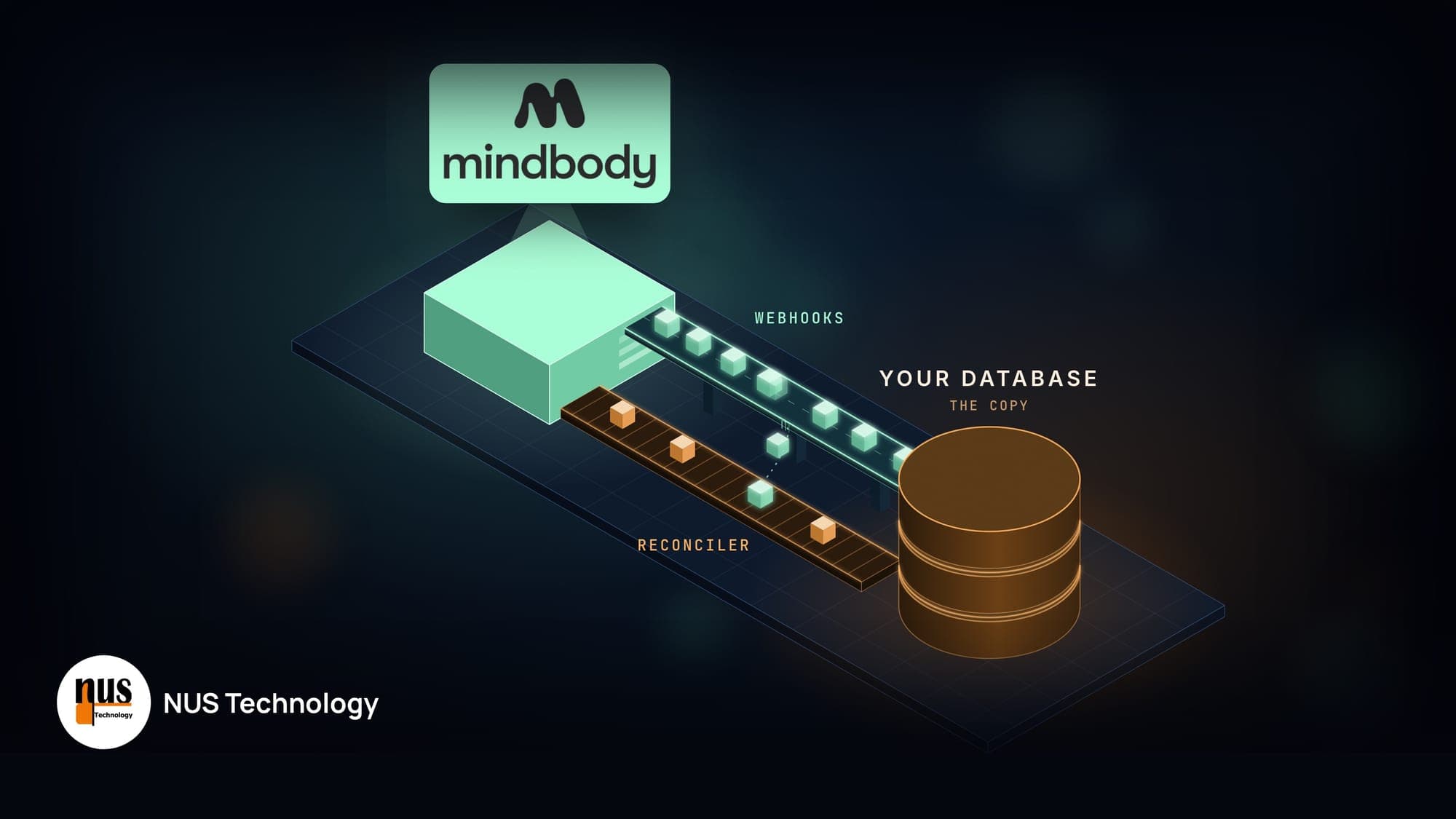
In practice, that means building a new layer on top of the existing platform. This layer connects to the platform through its API, can store its own data in a separate system, and implements whatever new business logic you need. Responsibilities split cleanly between the two:
- The existing platform keeps doing what it does well: member records, bookings, memberships, scheduling and core payments.
- The custom layer handles what's specific to your business: its own data, custom business rules, workflows, the customer-facing experience, automation and cross-system reporting.
The two talk to each other through APIs and events.

You're not rebuilding Mindbody, and you're not trying to replace its member database or scheduling engine. You're adding what your business needs around it. Mindbody supports this through its developer portal and APIs for third-party integrations. (Mindbody Developer Portal)
The hard part isn't the API call. It's designing the boundary between the two systems. Before writing code, you need clear answers to questions like:
- Which system owns each piece of data, and which is the source of truth?
- When and how is information synchronised?
- What happens when an API call fails or a webhook arrives twice?
- How do you prevent duplicate or conflicting records?
- Where do custom business rules live?
Get these right and the extension becomes a dependable part of your operation. Get them wrong and you've built a second disconnected system with its own spreadsheet of workarounds.
The work also doesn't end at launch. The platform will change its API, your business rules will change, and the integration has to keep up with both. Plan for ongoing software maintenance from day one, so the custom layer stays reliable instead of becoming the next fragile system you work around.
Case study: how BXR extended Mindbody instead of replacing it
BXR, a premium boxing and fitness studio in London, is a real example of this approach. Mindbody stays at the core of its operation, while NUS Technology built a custom layer around it: Stripe payments with Apple Pay and Google Pay, behaviour-driven Klaviyo campaigns, and an app experience Mindbody wasn't designed to provide. The result was 18% more in-app payments and a 2.4x higher email click-through rate, without a platform migration. Read the full BXR case study.
What to build around an existing platform (and what to leave alone)
Not every missing feature deserves custom software. The best candidates are workflows that matter to the business, happen often and are hard to support inside the standard platform. They usually fall into four areas.
Custom business logic. Pricing, eligibility, membership or approval rules that are unique to your operation don't belong in a generic platform. A dedicated service can own those rules while the core system keeps handling standard transactions.
Customer experience. A platform can run your back office well and still leave your website or app feeling generic. A custom front end gives customers the experience you want while the platform keeps supplying the underlying data.
Cross-system automation. If staff regularly copy information between your core platform, payment provider, marketing tool and internal systems, an integration layer can turn those hand-offs into automated workflows. A class booking, for example, can update an internal dashboard, send an event to Klaviyo and apply a business rule without anyone touching it.
Operational reporting. Managers don't care which system owns a data field; they want answers. A reporting layer that combines data from the platform, payments and marketing can answer questions none of the individual tools can. At that point the extension stops being "just an integration" and becomes part of your operational backbone.
The same pattern applies beyond fitness. For multi-clinic health group Pursuit Lab, NUS built an operations layer covering onboarding, programming and Stripe Connect payouts to individual clinics, work that off-the-shelf booking tools weren't designed for. (Pursuit Lab / PhysThrive case study)
Signs your existing software needs an extension
The warning signs are usually operational, not technical:
- Someone exports CSV files every morning to move data between systems
- Spreadsheets exist only because the main platform can't represent a business rule
- Reports take manual preparation before anyone can read them
- Each new location, program or customer segment adds a disproportionate amount of admin
It's worth putting a number on these. If five people each spend 30 minutes a day reconciling systems, that's 12.5 hours a week, or about 650 hours a year, before counting mistakes, delays and the management time spent keeping the process running.
That doesn't automatically mean you should build something. First check whether the workflow is important, frequent and stable enough to justify automation. If it is, extending your existing system is usually a far more targeted project than replacing the platform.
FAQ
Can you build a custom app that works with Mindbody?
Yes. Mindbody provides developer APIs for third-party integrations, and a custom app can use them to read and write booking, member and class data, subject to Mindbody's current API access and permissions. BXR's member app is one example: it's a custom React Native app with Mindbody running behind it. A well-designed integration also defines which system owns each piece of data and what happens when a sync fails.
Should I replace Mindbody if it doesn't support everything my business needs?
Not necessarily. If Mindbody still handles your memberships, bookings and day-to-day operations well, replacing it can introduce migration risk and retraining costs for little gain. A custom integration layer can close specific gaps while you keep Mindbody for what it already does well.
What is a custom integration layer?
It's software that sits between your core platform and the other tools and processes your business uses. It can handle custom payment flows, marketing events, mobile experiences, reporting, business rules and automation, while the core platform remains the system of record for its own data.
When does extending existing software make sense?
When your current platform still delivers most of the value but recurring gaps are creating manual work, limiting the customer experience or blocking automation. The more often the workaround happens, and the faster the business is growing, the stronger the case for a purpose-built extension.
Conclusion: get the benefits of both
Your software doesn't need to cover 100% of your business to remain the right platform. If a mature system already runs most of your operation, the better question is often how to extend it, not how to replace it.
Extending it gives you the benefits of both approaches. You keep the off-the-shelf platform's maturity, industry knowledge and ongoing updates, without a risky migration. And you gain the flexibility of custom software development for the workflows that make your business different.
BXR shows what that looks like in practice. Mindbody stayed at the core of the studio's operation, while we built the payments, behavioural marketing and app experience around it, and BXR got a system that fits how it actually wants to run.
If your team spends more time working around your software than with it, talk to NUS Technology about your operational workflow. The useful first step isn't deciding what to build. It's mapping what your platform does well, where it creates friction, and which gaps are worth solving.