Mobile

RoomScan — LiDAR Room Scanning & Spatial Collaboration

Overview

RoomScan is a native iOS application that transforms physical rooms into interactive 3D environments using Apple's LiDAR-based spatial computing technologies. Users can scan indoor spaces, explore reconstructed room models, attach notes to specific 3D locations, and share their projects with others.

Built for iPhone and iPad, the application combines RoomPlan, ARKit, RealityKit, and a dedicated backend to manage the workflow from spatial capture to synchronized collaboration.

The showcase demonstrates NUS Technology's capabilities in native spatial computing, interactive 3D development, offline-first synchronization, and permission-controlled data sharing.

Overlapping squaresWhat We Built

Capture, Explore, and Collaborate in 3D

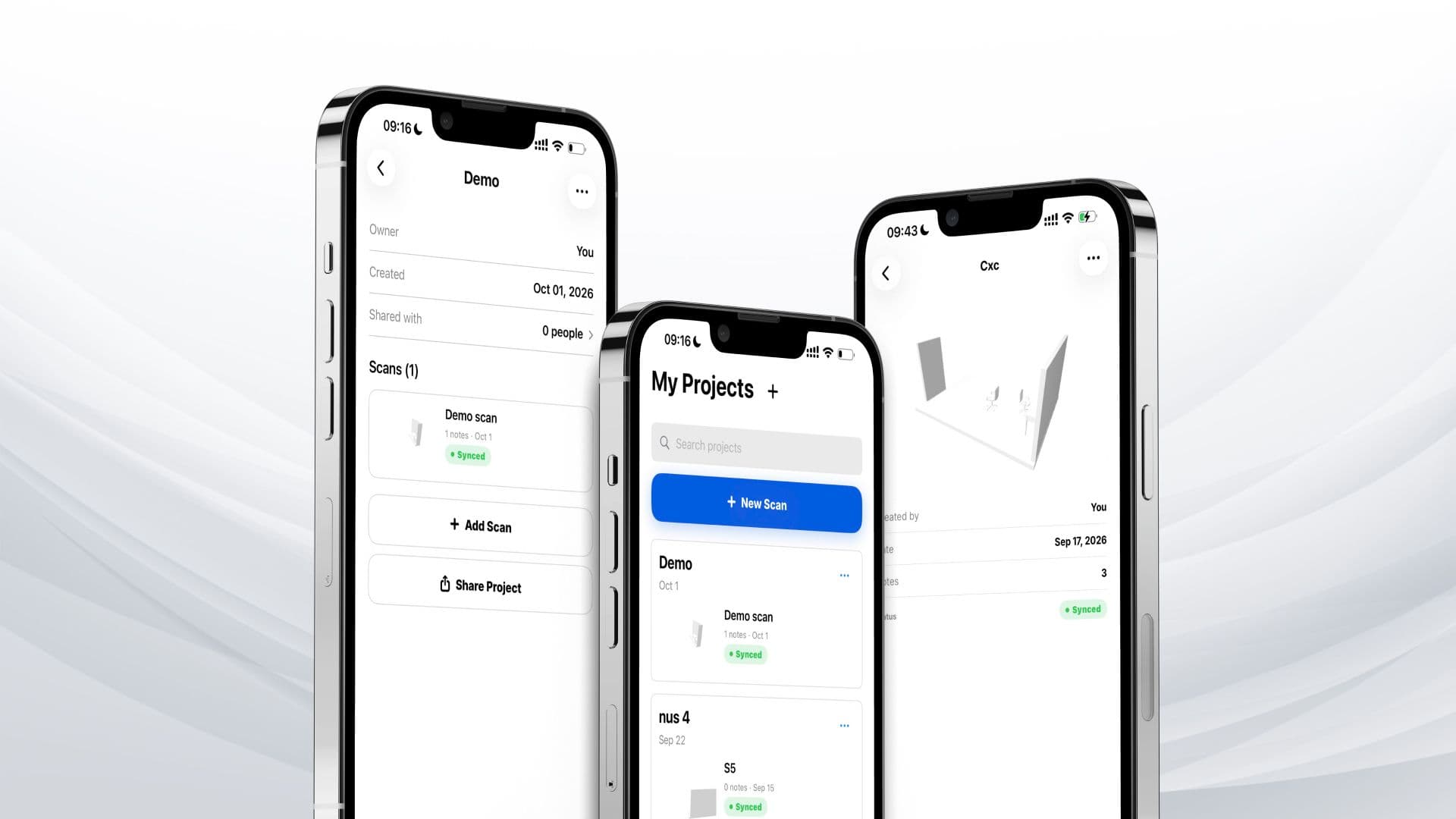
RoomScan provides a project-based workspace for capturing and organizing indoor environments. Using LiDAR-supported iOS devices, users can scan rooms with real-time guidance and generate 3D models featuring recognizable furniture representations. Each project can contain multiple scans, allowing related spaces to be managed together.

The interactive 3D viewer supports smooth camera navigation, zooming, and top-down floor-plan views. Users can place color-coded text annotations directly on surfaces within a model. These notes remain anchored to their 3D positions, and selecting an annotation from the note list automatically directs the camera toward its location.

Projects and individual room scans can be shared through invitations or reusable links, with access governed by user permissions. RoomScan also supports offline-first workflows, saving completed scans locally before uploading them and synchronizing changes when connectivity becomes available. Devices without LiDAR can still explore shared 3D models.

RoomScan_Visual_1.jpg
Overlapping squaresTech & Architecture

Native Spatial Computing with an Offline-First Backend

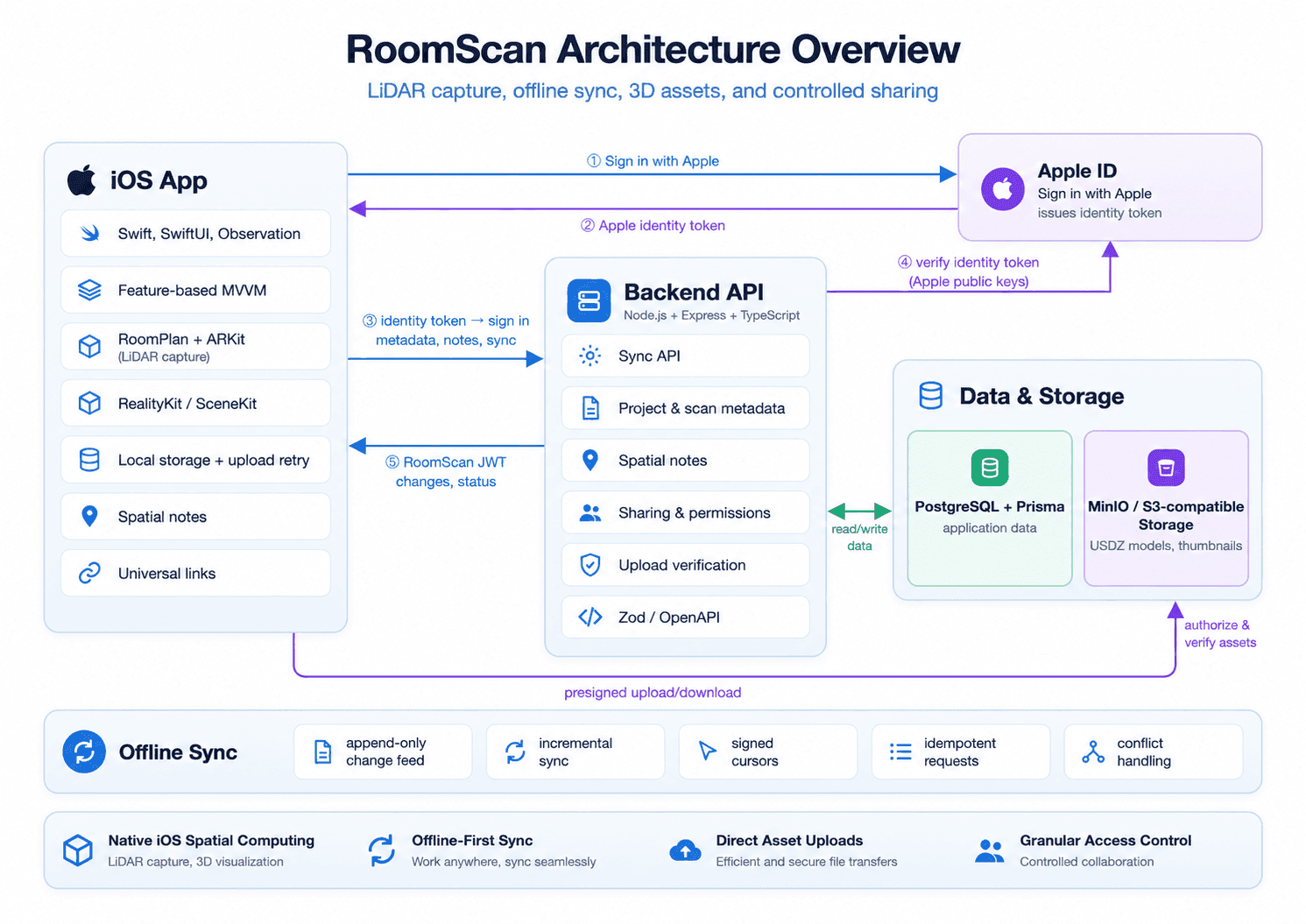
RoomScan is built with Swift, SwiftUI, and Observation, following a feature-based MVVM architecture with constructor injection. RoomPlan and ARKit handle LiDAR-based room capture, SceneKit provides immediate post-scan previews, and RealityKit powers interactive 3D visualization. Models are exported in USDZ format, while Swift concurrency supports asynchronous operations. The iOS application uses exclusively Apple frameworks, without third-party dependencies.

The backend uses Node.js, Express, and TypeScript, with PostgreSQL and Prisma for relational data management. It manages project metadata, spatial annotations, synchronization, and sharing permissions, while 3D reconstruction is handled on the mobile side. Zod-based validation and generated OpenAPI documentation establish consistent API contracts.

The offline-first architecture separates local data persistence from server synchronization. An append-only change feed supports snapshots and incremental updates, with revision checks and conflict handling for changes across devices. Large 3D models and thumbnails are transferred directly to MinIO/S3-compatible object storage using presigned URLs, keeping binary transfers separate from standard API operations.

Authentication combines Sign in with Apple, Keychain-secured sessions, and JWT-based backend identity management. Universal links connect invitations to the native application, while backend authorization governs project-level and scan-level access. Both mobile and backend architectures use dependency injection to separate application logic from infrastructure integrations, supporting isolated testing and maintainability.

RoomScan Architecture Overview.png

Technology Stack

  • Platforms: iOS 17.6+, iPhone and iPad

  • Mobile: Swift, SwiftUI, Observation

  • Architecture: Feature-based MVVM, Constructor Injection

  • Spatial Computing: RoomPlan, ARKit, LiDAR

  • 3D Visualization: RealityKit, SceneKit, USDZ

  • Backend: Node.js, Express, TypeScript

  • Database & Data Access: PostgreSQL, Prisma

  • Authentication: Sign in with Apple, JWT

  • Asset Storage: MinIO, S3-compatible object storage

Overlapping squaresTechnical Highlights

Engineering Spatial Interactions, Data Consistency, and Mobile Resilience

Green tick circle

LiDAR-Based Room Capture and Reconstruction: RoomPlan and ARKit recognize room structures and furniture in real time, with guided scanning and pause/resume support. Apple's furniture catalog replaces basic geometric representations with recognizable 3D models, while SceneKit provides an immediate post-scan preview.

Green tick circle

Offline-First Synchronization and Recovery: Scans are saved locally before upload, allowing users to continue working through network interruptions. An append-only change feed supports incremental synchronization, while signed cursors, idempotent requests, revision checks, and conflict records help maintain data consistency across devices.

Green tick circle

Efficient 3D Asset Management: Large models and thumbnails are transferred directly to S3-compatible storage through presigned URLs, reducing binary traffic through the API server. Asynchronous model loading and off-main-thread thumbnail processing help maintain responsive mobile interactions, while OSSignposter supports camera startup performance measurement.

Green tick circle

Granular Sharing and Access Control: Owners can share entire projects or individual scans through invitations and reusable links. Public user IDs support account-bound invitations independently of Apple's Hide My Email feature, while universal links open invitations directly in the application. Backend authorization controls access to shared resources and enforces permission revocation.

Green tick circle

Modular Architecture and Automated Testing: Feature-based MVVM and constructor injection separate mobile application responsibilities, while an Express app factory isolates backend services from infrastructure adapters. Quality assurance includes approximately 600 Swift unit tests, XCTest UI tests, strict SwiftLint checks, and backend testing with Vitest and Supertest.

Explore More Labs

ClearHear: Real-Time Offline Live Captioning
Mobile

ClearHear: Real-Time Offline Live Captioning

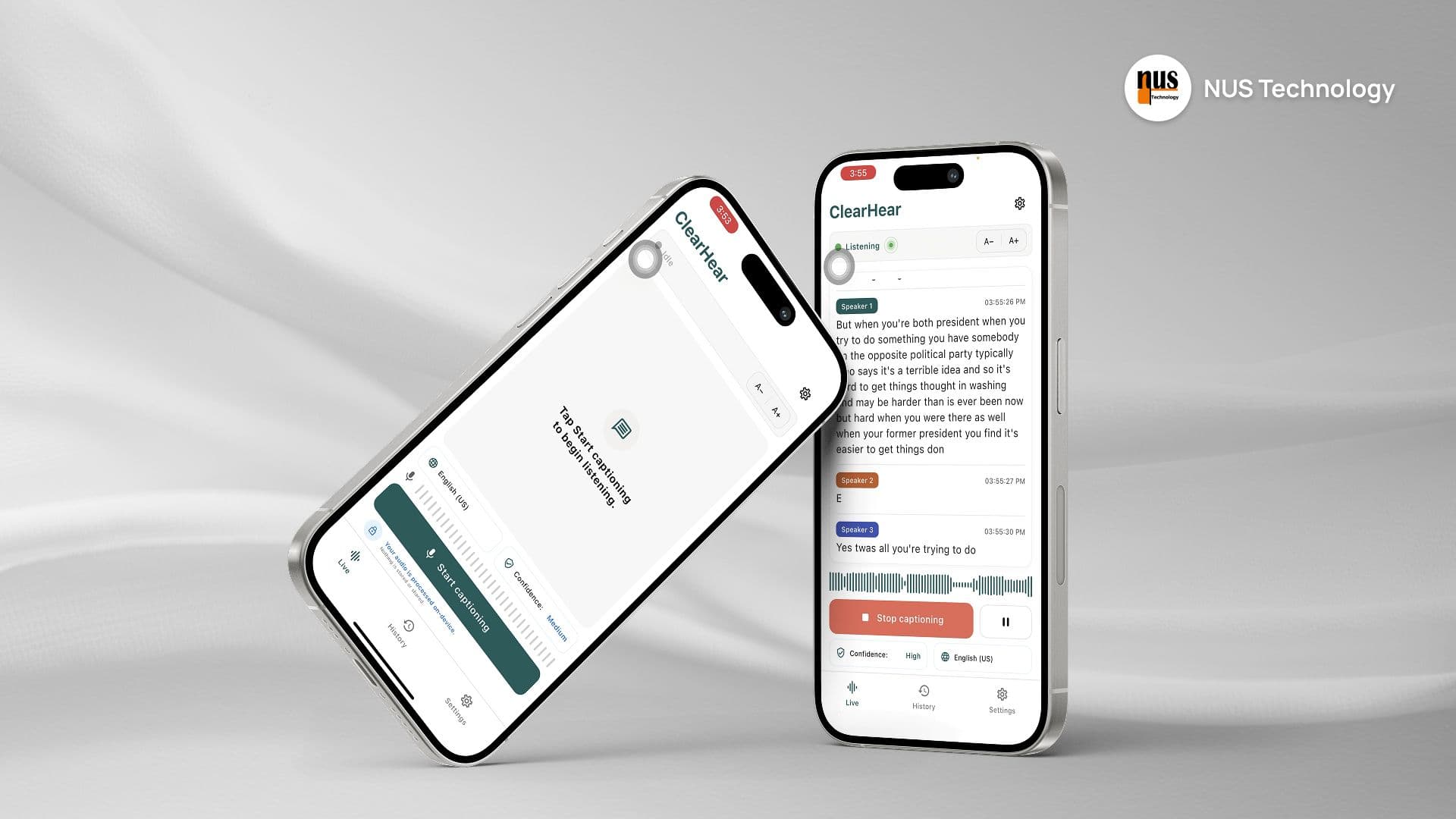
ClearHear is a cross-platform mobile application built to showcase NUS Technology's expertise in on-device AI, real-time speech recognition, and responsive mobile application development.

The app captures microphone audio and generates live captions entirely on the device, without requiring an internet connection. As users speak, captions appear immediately, update continuously with partial recognition results, and finalize in real time. Sessions are stored locally, can be searched and exported, and are automatically summarized using an on-device language model.

The primary engineering goal was simple: deliver offline captions that keep pace with live speech while maintaining a polished, production-quality mobile experience.
Zuzu: Real-Time Mobile Livestreaming
Mobile

Zuzu: Real-Time Mobile Livestreaming

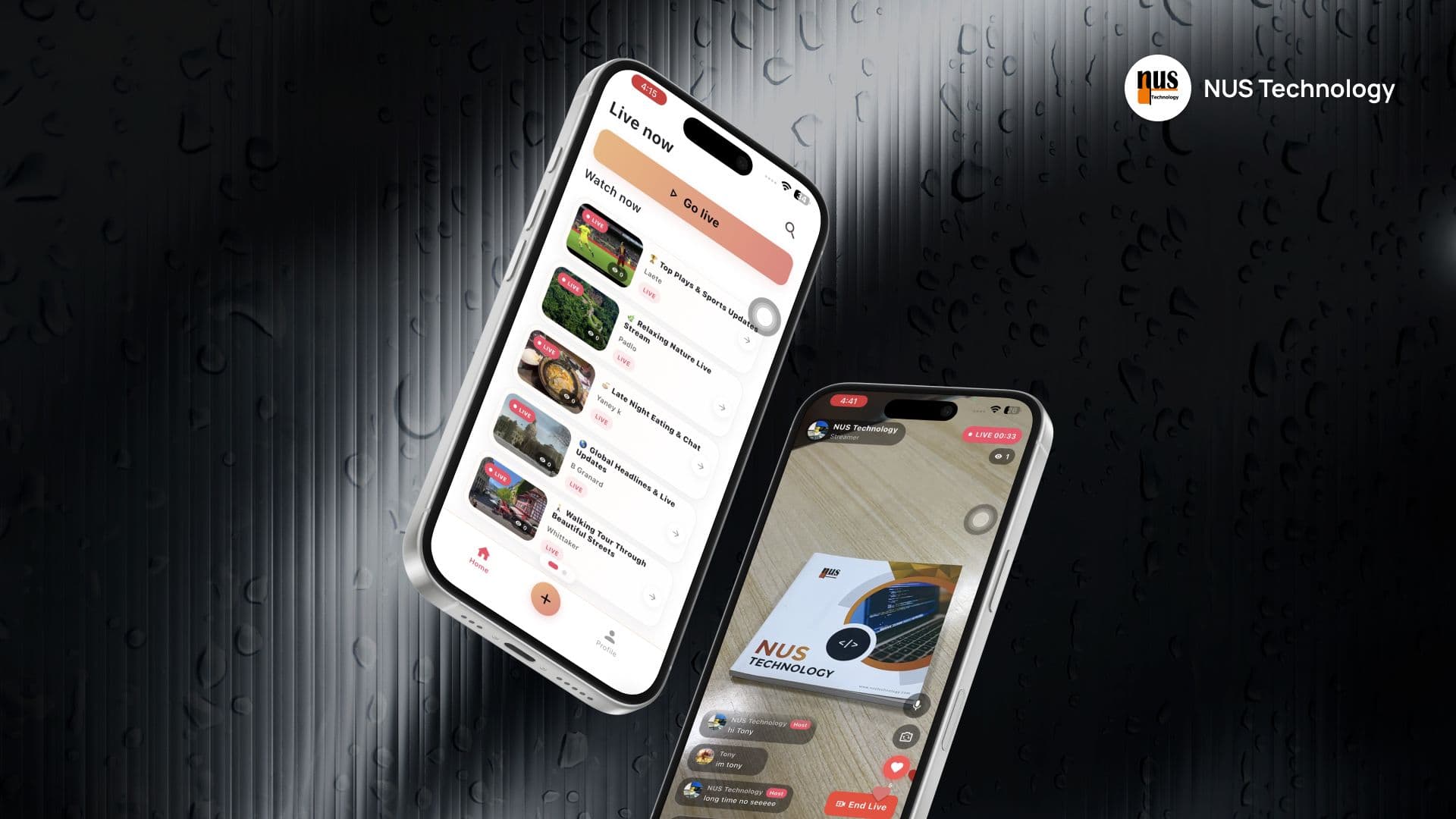
Zuzu is a cross-platform livestreaming app built to showcase NUS Technology’s expertise in real-time mobile development, WebRTC video streaming, and resilient session management.

Users can start a livestream directly from their phone or discover and watch active streams from other users. While watching, they can chat, send heart reactions, and see viewer activity update in real time.

Need a Similar Solution?

Let’s discuss your operational challenges and build a solution that fits your business.

CodeMonitorGrid with light