Mobile

ClearHear: Real-Time Offline Live Captioning

Overview

ClearHear is a cross-platform mobile application built to showcase NUS Technology's expertise in on-device AI, real-time speech recognition, and responsive mobile application development.

The app captures microphone audio and generates live captions entirely on the device, without requiring an internet connection. As users speak, captions appear immediately, update continuously with partial recognition results, and finalize in real time. Sessions are stored locally, can be searched and exported, and are automatically summarized using an on-device language model.

The primary engineering goal was simple: deliver offline captions that keep pace with live speech while maintaining a polished, production-quality mobile experience.

Overlapping squaresWhat We Built

A Fully Offline Real-Time Speech Captioning Experience

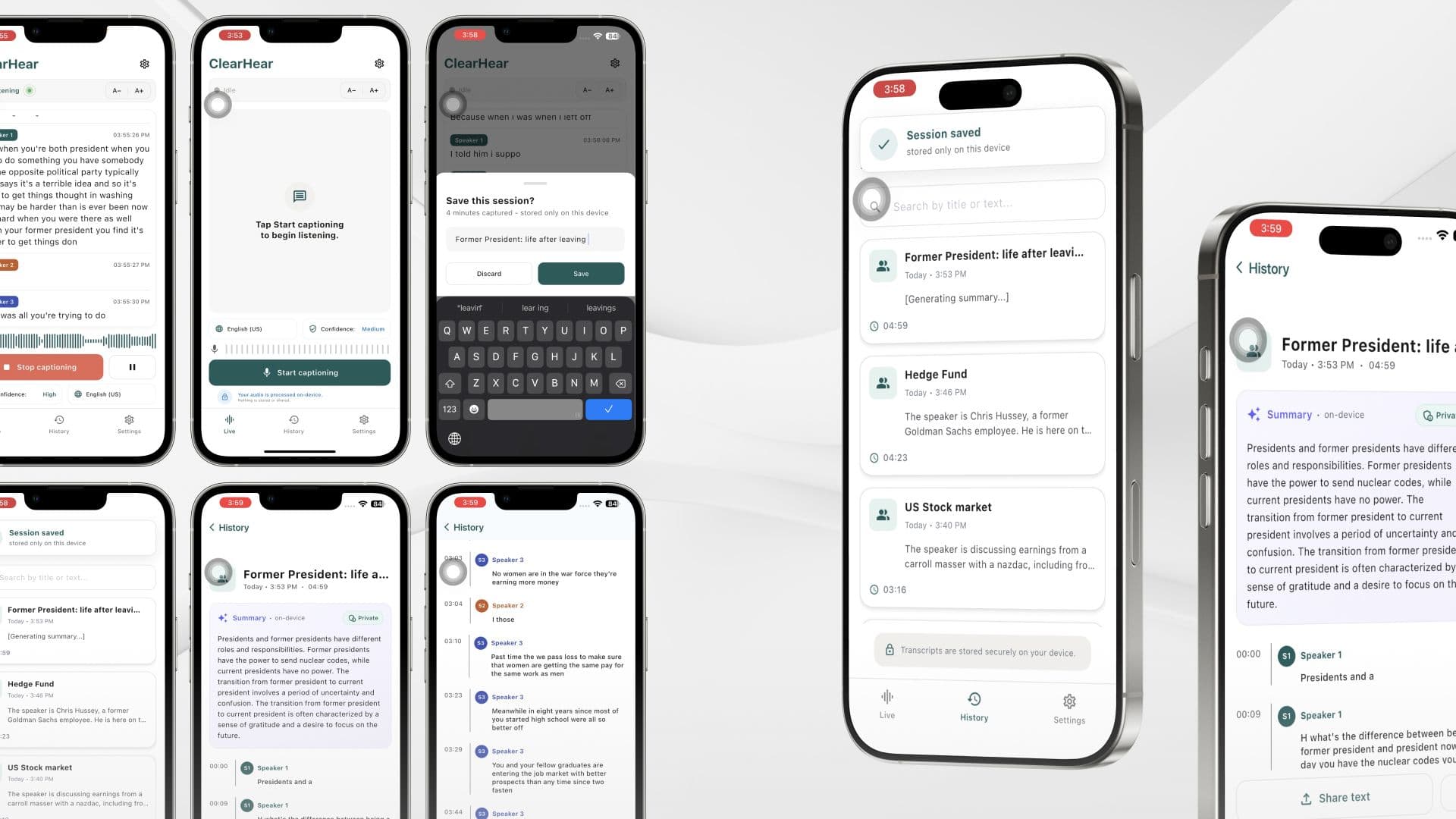
ClearHear demonstrates a complete on-device speech transcription pipeline running on both iOS and Android, without relying on a backend service.

Users can start a captioning session, view continuously updating captions as speech is detected, pause and resume recording within the same session, and browse previously saved conversations. Every session is stored locally, searchable through full-text search, exportable as plain text, and automatically summarized using an embedded language model.

The application also includes practical reading features such as adjustable font sizes and light/dark themes, creating a polished accessibility-focused user experience while showcasing complex on-device AI capabilities.

HearClear Visual 2
Overlapping squaresTech & Architecture

A Layered Mobile Architecture for On-Device AI

ClearHear is built using a shared Flutter codebase across iOS and Android, with all processing performed locally on the device.

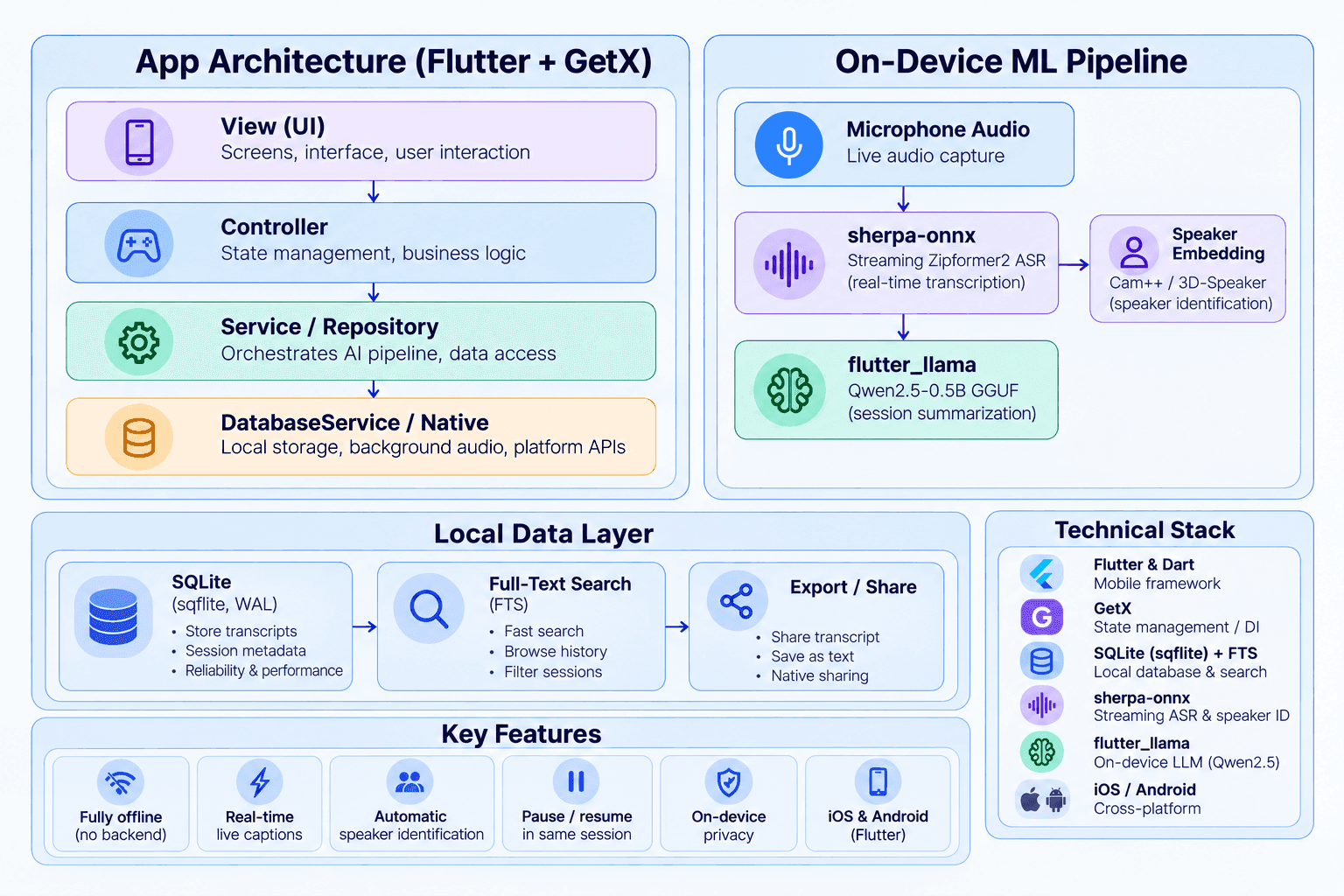
The application follows a layered architecture:

View → Controller → Service / Repository → DatabaseService / Native Platform

Flutter and GetX manage presentation, navigation, dependency injection, and state management. Repository abstractions isolate business logic from data persistence, while native platform integrations handle operating system capabilities such as background audio processing.

Speech recognition, speaker identification, transcript storage, and AI summarization all execute locally, allowing the application to function without a backend.

diagram.png

Technology Stack

  • Mobile: Flutter & Dart

  • State Management / DI / Routing: GetX

  • Local Database: SQLite (sqflite with WAL)

  • Search: SQLite FTS Full-Text Search

  • Speech Recognition: sherpa-onnx Streaming Zipformer2 ASR

  • Speaker Identification: sherpa-onnx Speaker Embedding (Cam++ / 3D-Speaker)

  • On-Device LLM: flutter_llama with Qwen2.5-0.5B GGUF

  • Platforms: iOS and Android

Overlapping squaresTechnical Highlights

Engineering for Reliable Live Captioning

Green tick circle

Live Streaming Speech Recognition: ClearHear uses sherpa-onnx's streaming Zipformer ASR to generate captions continuously as users speak. Instead of waiting until recording has finished, partial recognition results are updated live before being finalized, creating a subtitle-like experience with minimal perceived latency.

Green tick circle

Real-Time Speaker Identification: Speaker embedding models (Cam++ / 3D-Speaker) automatically distinguish between different speakers during transcription. As conversations unfold, captions are labelled with identifiers such as "Speaker 1" and "Speaker 2" without requiring manual intervention.

Green tick circle

Session Continuity: Users can pause and resume transcription within the same session without losing previously captured content. This provides a more natural workflow during meetings, conversations, or presentations.

Green tick circle

Robust Audio Interruption Handling: Using audio_session together with a platform-specific interruption manager, the application safely handles incoming phone calls, microphone interruptions, and audio focus changes. Recording can pause and resume automatically, or be safely finalized if interruptions exceed a defined duration.

Green tick circle

Fully Offline AI Summarization: After each session, transcripts are summarized locally using Qwen2.5-0.5B running through flutter_llama. Summaries are processed sequentially in a background queue, keeping the user experience responsive while ensuring all AI processing remains on the device.

Green tick circle

Local-First Privacy and Transcript Management: All transcripts are stored locally in SQLite and indexed using Full-Text Search for fast retrieval. Users can browse previous sessions, search conversation history, and export transcripts through the platform's native sharing capabilities. Speech recognition, speaker identification, transcript storage, and AI summarization all run entirely on the device, with network access only required if AI models need to be downloaded during the initial setup.

Explore More Labs

Zuzu: Real-Time Mobile Livestreaming
Mobile

Zuzu: Real-Time Mobile Livestreaming

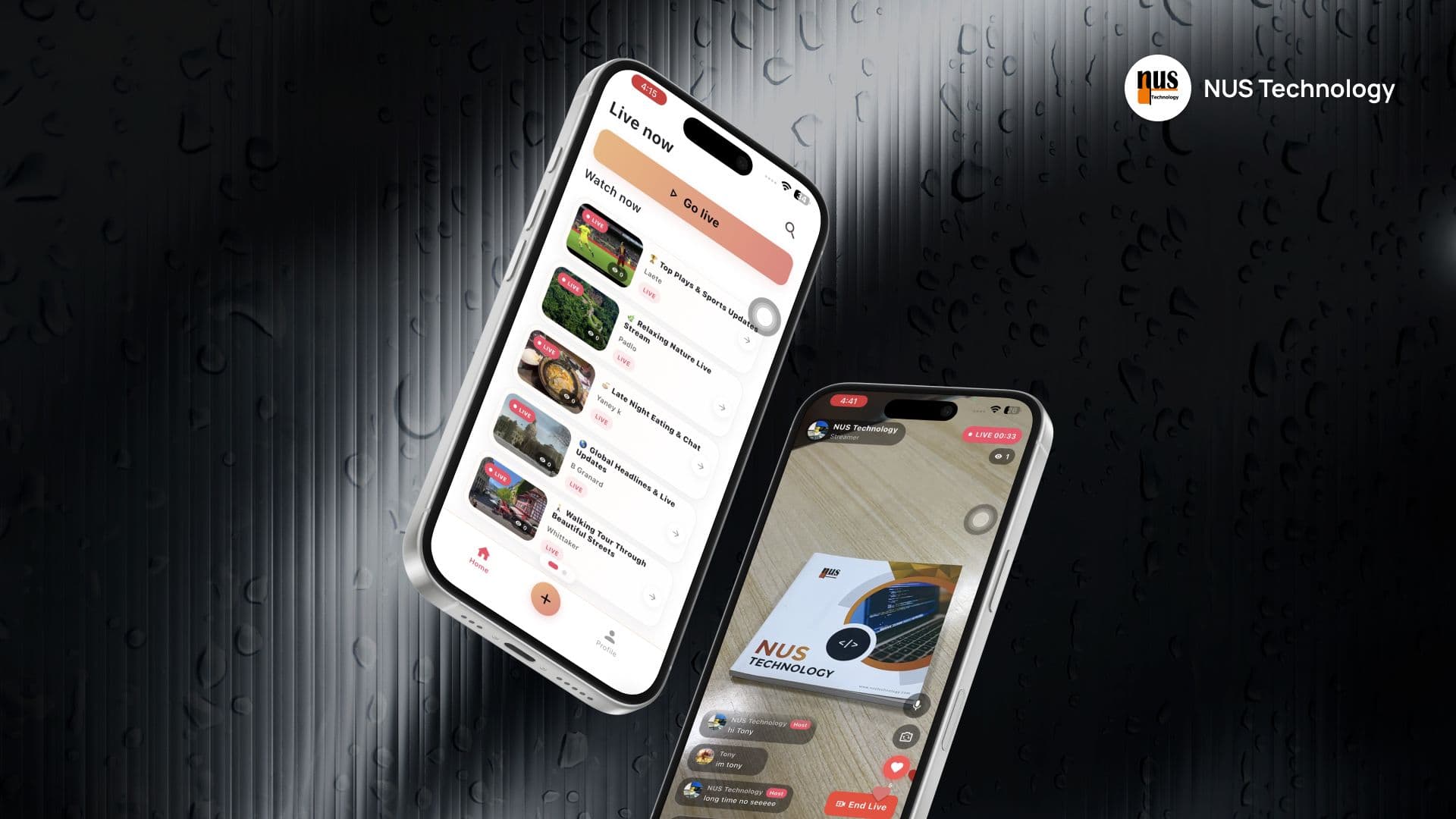
Zuzu is a cross-platform livestreaming app built to showcase NUS Technology’s expertise in real-time mobile development, WebRTC video streaming, and resilient session management.

Users can start a livestream directly from their phone or discover and watch active streams from other users. While watching, they can chat, send heart reactions, and see viewer activity update in real time.

Need a Similar Solution?

Let’s discuss your operational challenges and build a solution that fits your business.

Schedule a Strategy Session
CodeMonitorGrid with light